
Security Center USA in Jacksonville: Decide What Smart-Home Security Needs to Do
By Blue Storm Security · 2026.10.17 · 4 min read
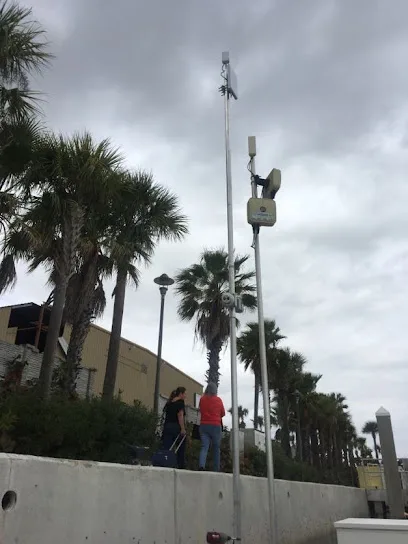
A connected security system is only useful when its parts address the right property problems. For a Jacksonville homeowner comparing installers, Security Center USA is listed as a Smart Home Security Installer, while its official site also describes residential security and several commercial security services. That mix makes the first decision less about choosing a device and more about stating what the system should help the household see, control, or receive an alert about. A focused inquiry can reveal whether the requested features fit the project and which details still need confirmation.
Define the job before choosing connected devices
Begin by writing down the situations that matter: an exterior door left unsecured, activity at a driveway, a package area that is hard to see, or a need to manage entry for several people. These are planning examples, not claims about a specific product. They help separate a genuine security requirement from a preference for app control or extra equipment.
Then identify who will use the system and from where. A household that needs simple status checks has a different brief from one coordinating several users or managing a property remotely. Ask which controls are available locally, which require a phone or internet connection, and what happens if connectivity is interrupted. The public information identifies smart-home integration as a category signal, but does not specify compatible platforms, devices, or operating requirements. Those points should be established for the proposed setup rather than assumed from the label.
Keep cameras, alarms, and access control distinct
Video and alarm functions answer different questions. A camera can provide a view of a selected area; an alarm system is intended to signal a defined event. Neither description alone establishes how footage is stored, how alerts are delivered, or whether anyone actively responds. If either function is part of the project, ask for the proposed coverage, event types, notification path, storage terms, and any continuing charges in writing.
Entry control is a separate design decision. Security Center USA’s official site lists commercial access control, gated entry systems, and intercom systems among its offerings. Those are useful signals for a property considering controlled entry, but the commercial page labels do not by themselves establish which options are suitable for a residence. Describe the doors, gates, users, and visitor process involved, then ask which functions apply to the particular property. Avoid treating an alarm keypad, a smart lock, an intercom, and a managed access system as interchangeable.
Use the Jacksonville service mix to sharpen the scope
The company’s official site lists residential security as well as commercial video surveillance, commercial monitoring, business video monitoring, and remote guarding. These named categories indicate a broader security portfolio, not a promise that every option belongs in a home project. A homeowner should explicitly ask whether the proposed work is residential, commercial, or a combination, and request an itemized explanation of equipment, installation tasks, and any recurring services.
For a small business or mixed-use property, map the decision to the actual work areas: public entrances, staff-only doors, receiving zones, and spaces where video may be useful. Ask whether camera coverage, access permissions, and alarm events are designed as separate functions or connected in a specific way. The answer should distinguish what is included from what is merely available as a separate service. A clear scope also makes it easier to compare proposals without judging them by device count alone.
Make the consultation answer the unknowns
Before accepting a design, ask for a simple description of how each requested feature works, who can operate it, and what equipment or network conditions it depends on. Confirm whether monitoring is part of the proposed arrangement, who receives an alert, and what response—if any—is included. The official contact page invites customers with questions or service needs to call or submit a form; it does not provide enough detail to infer monitoring terms, service response times, warranty coverage, or pricing.
For an existing system, prepare the equipment model information, any current service details, and a short account of the problem. Ask which components can be retained, what must be replaced, and whether access credentials or configuration changes are needed. For a new installation, ask how camera views, sensors, and entry devices will be selected for the layout. Written answers make assumptions visible before work is scheduled.
Use the local contact details for a specific next step
The listed address is 2000 Art Museum Dr, Jacksonville, FL 32207, United States, and the published phone number is +1 904-727-5000. The official contact page is at securitycenterusa.com/contact. Use those details to confirm current contact procedures and whether the company handles the project type and location. A useful first call can be brief: describe the property, identify the two or three security outcomes that matter most, and ask what information is needed for an accurate scope.
Security Center USA may be worth evaluating when the project calls for a defined smart-home or security-system plan and the listed residential or commercial categories match the property. The fit should rest on the written design, included functions, ongoing terms, and answers to project-specific questions—not on a category label alone.
More from the watch log
Helios Security Systems in Miami: Choosing Between CCTV, Alarms, and Smart Controls
Helios Security Systems lists CCTV, alarm systems, access control, and smart-home controls in Miami. Use this guide to define a project and…
Security Guides
Georgia Carolina Security in Augusta: Match Cameras, Alarms, and Smart Locks to the Property
A practical way to assess Georgia Carolina Security’s residential and business security options in Augusta is to map each device to a speci…
Security Guides
SafeTouch of Savannah: Compare Video-Only and Alarm-Linked Security
SafeTouch’s Savannah page distinguishes video-only surveillance from alarm and smart-home packages. Use that split to define coverage, cont…