
Keep the Alarm or Replace It? A Compatibility Check for Home Monitoring
By Blue Storm Security · 2026.11.06 · 4 min read
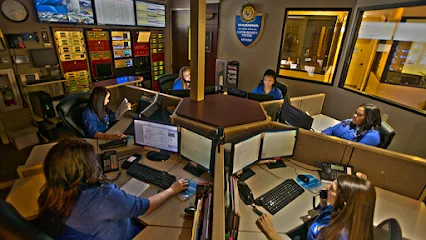
An existing home alarm does not automatically need to be replaced to add monitoring. The practical test is whether its control panel and essential devices work reliably, and whether its communication equipment can send a signal in a format the monitoring service accepts. Start with the equipment already installed; then compare the cost and scope of keeping it with the functions you actually need.
Start with the control panel and the devices it runs
The control panel is the system’s central controller. Locate its manufacturer and model number, usually printed on a label inside or near the panel enclosure or shown in system documentation. Record the keypad model too if it differs. These identifiers give an evaluator a concrete starting point: two systems that look similar on the wall may use different hardware or signaling methods.
Next, make a simple inventory of the equipment that matters to your household: door and window contacts, motion sensors, smoke or other specialty detectors, keypads, siren, and backup battery. Note which zones appear on the keypad and any recurring trouble indications. A sensor that fails to detect an opening or a backup battery that no longer holds a charge is a repair issue, not a monitoring-connection problem. Monitoring cannot make a malfunctioning detector report reliably.
Consider how the alarm is used day to day. If the panel is routinely disarmed because of confusing controls, or a sensor creates repeated trouble, those usability or maintenance issues belong in the decision. A technically compatible system can still be a poor fit if its detection coverage or operation no longer matches the home.
Check how the system can send an alarm
A working alarm needs a communication path to deliver an event beyond the house. Older systems may use a telephone-line dialer; others use a cellular communicator, an internet connection, or a combination. The communicator is the equipment that sends the panel’s event information outward. Identify what is installed rather than assuming the presence of a keypad means that remote monitoring can receive the signal.
Compatibility has two parts: the physical communication route and the signaling language. The intended service must support the communicator and be able to interpret the panel’s signal format. A panel may power on and trigger its siren while still being unable to communicate with a particular receiving system. Likewise, replacing a communicator may not solve the issue if the panel’s signaling format or hardware is unsupported.
Write down the communicator’s make and model, whether a phone line or network connection is involved, and any display messages that appear when the system is tested. This information helps distinguish a straightforward connection from a more involved upgrade. Avoid treating “it has a phone connection” or “it has cellular” as a complete compatibility answer; those terms describe a route, not whether the receiving service accepts the specific equipment and signals.
Use function gaps and repair needs to decide about replacement
Keeping the alarm is a reasonable option to evaluate when the control panel and important sensors operate, the communication path is supported, and the existing zones cover the events and areas you want monitored. In that case, a focused repair or communicator update may address the gap without replacing equipment that still does its job.
Replacement deserves consideration when faults recur, essential components cannot be supported, or the system cannot provide functions you now want. For example, a household may want to add detection in a new area, simplify daily arming, or coordinate an alarm with other home controls. Compare the work needed to make the old system dependable with the scope of a replacement—not the system’s age alone.
| Keep and connect | Evaluate replacement |
|---|---|
| Panel and core devices work; communication method is accepted. | Panel or key components fail repeatedly or cannot be supported. |
| Existing coverage and controls still fit the household. | Needed coverage, usability, or functions exceed the system’s capabilities. |
This comparison is about the system’s condition and fit, not a rule that every older alarm should stay or go. A mixed result may point to a limited repair, such as replacing one failed sensor, rather than either extreme.
Bring the system details to an evaluation
Before arranging an evaluation, gather the panel and communicator model numbers, a list of zones and devices, trouble messages, known repairs, and the monitoring functions you want. If you have a user manual or installation paperwork, keep it nearby. A clear record lets the discussion focus on the actual installation and separates three questions: what still works, what needs repair, and what would need to change for monitoring.
Baton Rouge homeowners can contact Custom Security Systems, Inc. to request an appointment to connect an existing system to monitoring or get a free evaluation for a new security system.
Ask for the recommendation to identify which existing components can remain, which need repair or replacement, what communication equipment is required, and which monitoring functions the proposed setup supports. With those items separated, you can compare a connection, a targeted upgrade, and a full replacement on the same basis: dependable equipment, a supported signal path, and coverage suited to the home.
More from the watch log

Which Smart-Home Devices Should Connect to Your Security System?
Prioritize connected entry controls, purposeful lighting, and alerts with a clear response plan when integrating smart-home devices with se…
Security Guides
Which Home Security Sensors Should You Install First?
Prioritize the doors and windows that matter most, then decide whether motion or glass-break detection fills a real gap in your home securi…
Security Guides
Where Home Security Cameras Do the Most Useful Work
Plan camera placement around the approaches and entries you need to see, then check framing, lighting, and motion detection in real conditi…