
What Happens When a Monitored Home Alarm Goes Off?
By Blue Storm Security · 2026.11.07 · 4 min read
When a monitored home alarm is triggered, the system can send an event signal to a monitoring center, where staff follow the response instructions associated with the account. A siren sounding at home and an event reaching a monitoring center are related but separate things: noise alone does not tell you whether the center received an alert. Knowing the difference, the usual response sequence, and your household’s role makes an alarm easier to handle.
First, tell an alarm signal from a siren
A local siren is an audible warning produced at the property. It can alert people nearby and draw attention to a possible problem, but it does not by itself establish that a monitoring center has been notified. A monitored system is configured to transmit event information through its communication path to a center. The exact path depends on the system setup.
The message is an event category, not necessarily a live picture of the home. For example, a contact sensor on a door may generate an intrusion signal when the protected door opens while the system is armed. A smoke detector connected to a security system may produce a fire-related event. Neither signal automatically tells the center what caused the event or what is happening inside. Video may be part of some systems, but a camera view and an alarm event are different forms of information.
This distinction matters when you hear a siren or receive an app notification. The alert tells you that the system detected something according to its configuration; it does not provide a complete account of the scene. An alarm may also sound locally even if a communication problem prevents a message from reaching the center.
How the monitoring center handles an alert
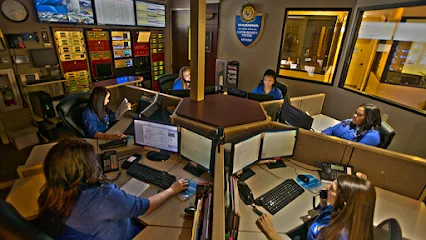
Once an event arrives, the center uses its type and the account’s response instructions to decide what to do. Depending on those instructions, a representative may attempt to contact the home or people listed on the account, ask for information to assess the event, or request an appropriate response. The center’s role is to act on the signal and the agreed procedure, not to assume that every alarm means the same thing.
What happens next can differ by event type and by the account’s arrangements. A door alarm, a fire signal, and a system trouble alert may call for different handling. Verification steps and dispatch procedures can also vary with the service agreement and applicable local requirements. Before an emergency, learn which events are monitored, which contacts may be called, and what the response sequence is for your own account. That is more useful than assuming every center follows one universal script.
What to do while an alarm is active
Let immediate conditions guide your actions. If you see smoke, fire, an apparent break-in, or another active threat, move to a safer place and contact emergency services rather than waiting for a monitoring call to establish what is happening. Do not enter or remain in a dangerous area just to inspect a panel or silence a siren.
If there is no sign of danger and you recognize the alarm as accidental, use the system’s cancellation procedure. Stay reachable so you can provide accurate information if the center contacts you. If a household member triggered the alarm, their explanation can help resolve the event, but do not treat an unexplained alert as harmless solely because no one has called yet. A notification or call may be delayed, missed, or not part of the account’s procedure.
For a camera alert, consider what the view actually shows: a camera aimed at an entry may show activity at that location, while a limited or obstructed view cannot explain what is happening elsewhere. Use the image as one piece of information, not a reason to approach a possible threat.
Prepare the account and household before an alarm
Preparation reduces confusion at the moment when the siren or phone alert interrupts normal activity. Review these parts of the setup with the people who may need to respond:
- Contact order: Check who is listed and whether each person knows they may receive a call or notification.
- Verification details: Make sure household members understand how to identify themselves and communicate accurate information when contacted.
- System controls: Learn how to arm, disarm, cancel an accidental alarm, and recognize a trouble alert using the instructions for your specific panel or app.
- Event coverage: Understand which detectors and alarm types are connected to monitoring, rather than assuming every device in the home sends an event.
- Planned testing: Follow the system’s test procedure and notify the monitoring center as instructed, so a scheduled test is not mistaken for an emergency.
Household routines change: people move, phone numbers change, and devices are added or replaced. Revisit the contact details and response instructions when those changes occur. For local security-system information, see Complete Security Solutions, Inc./Encore Technology Solutions.
More from the watch log
Keep the Alarm or Replace It? A Compatibility Check for Home Monitoring
An existing alarm may be connectable to monitoring, but the control panel, sensors, and communication path must all work together. Here is…
Security Guides
Which Smart-Home Devices Should Connect to Your Security System?
Prioritize connected entry controls, purposeful lighting, and alerts with a clear response plan when integrating smart-home devices with se…
Security Guides
Which Home Security Sensors Should You Install First?
Prioritize the doors and windows that matter most, then decide whether motion or glass-break detection fills a real gap in your home securi…