
Vector Security in Philadelphia (Plymouth Meeting): Define the Right Alarm + CCTV + Access Scope
By Blue Storm Security · 2026.06.25 · 4 min read
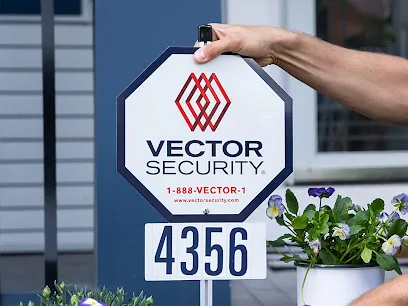
If you’re comparing installers in the Philadelphia area, the goal shouldn’t be to “pick a system brand.” The goal is to lock in a security scope that matches how incidents actually unfold on your property. For Vector Security’s Philadelphia-area profile (listed at 5125 Campus Dr, Plymouth Meeting, PA 19462 with +1 610-825-4600 and the local page at https://www.vectorsecurity.com/locations/plymouth-meeting/5125-campus-drive?utm_source=google&utm_medium=organic&utm_campaign=gmb-appt), the most productive conversations usually start with outcomes: what your alarm must detect, what your CCTV camera views must identify, and how access control should be managed day to day.
Below is a practical way to frame your request so you can tell—fast—whether the proposed alarm, camera (CCTV), and access workflow fit your real needs.
Write your “incident story” before you talk equipment
Instead of leading with equipment names, describe the incident you’re designing for. Examples include an attempted entry at an exterior door, a suspicious approach path near a garage, or an authorized person needing access at irregular hours. When you do this, you force the installer to map sensors and camera coverage to the same scenario.
Demand an alarm plan that connects to video verification
A common problem is that alarms trigger, but video confirmation isn’t reliably useful. Ask Vector Security to explain how the alarm event relates to what you’ll see in the moment after it triggers—so CCTV supports identification when you need it most.
CCTV scope: prove identity at the entrances that matter
“Coverage” is not the same as identification. When you evaluate a proposal, look for the stated purpose of each camera view: which entrance it supports, which approach path it covers, and whether lighting conditions likely allow clear recognition. If your plan depends on cameras that mainly show wide angles or distant motion, your response process will slow down when it counts.
Ask how the system handles day vs. night capture
During your discussion, bring up the lighting you already have (porch lights, wall-mounted fixtures, street illumination, or dark sections near shrub lines). A good scope will address how the camera strategy supports usable nighttime identification rather than assuming “night vision” will solve everything.
Access control: secure permissions without creating daily bottlenecks
Access control should reduce risk without adding friction. If updates to permissions are complicated, people will find workarounds, and that defeats the point of the system. For your quote, ask for clarity on the operational model: who receives access, how access is granted initially, and what the process is for removing access when plans change.
Define who needs access and what “authorized” means
Be specific about residents, employees, family members, and contractors. Then confirm how the installer structures permission changes over time so you’re not stuck reconfiguring the system every time schedules shift.
How to tell if the proposal is complete (and comparable)
To avoid vague scope and later surprises, require that the proposal lists enough detail for you to compare it against other options. In practice, you want the connection between three pieces to be clear: alarm zones, CCTV identification views, and access control workflow.
Use these comparison prompts:
• What alarm zones are included, and what incident outcome is expected when those zones activate?
• Which entrances and approach paths are covered by CCTV specifically for identification?
• How does access control integrate into your day-to-day permissions model?
• Does the installer explain how video and alarm information are handled together during an event?
If the answers remain general (“we’ll cover the property” or “the system will notify you”), ask for the missing details before moving forward.
Run the “remove one element” fit test
Finally, test your plan as if one part fails to perform. If your alarm triggers but CCTV can’t identify who is at the door, the response process becomes guessing. If cameras identify poorly at night, alerts may get ignored. If access permissions are hard to update, secure behavior breaks down over time. A well-defined scope should hold up through these checks.
When you’re ready, use the local contact points for this profile—call +1 610-825-4600 or start from the Plymouth Meeting location page—and ask Vector Security to translate your incident story into a clear alarm, CCTV, and access control plan.
More from the watch log

ProTec Security Systems in Greenville: Plan Around the EMC Transition
ProTec Security Systems’ Greenville listing now points to EMC Security. Here is how to clarify system support, camera needs, and the right…
Security Guides
Priority One Security in Greenville: Make Smart-Home Security Work as One System
Priority One Security’s Greenville listing and service menu point to a practical planning question: how should cameras, alarms, access cont…
Security Guides
On Point Security & Video in Greenville: Scope Cameras, Alarms, and Entry Control
On Point Security & Video lists surveillance, intrusion systems, access control, and data infrastructure. Here is how Greenville property t…