
ADT Security Services in Pittsburgh: Decide Between Alarm, Camera (CCTV), and Access Control Before You Sign
By Blue Storm Security · 2026.06.30 · 4 min read
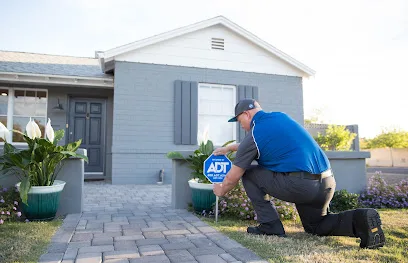
Choosing a security system installer is only half the decision. The other half is making sure the system you’re offered will behave the way you need when something actually happens—door contact triggers, a camera captures an identifiable face, and an access control workflow routes people correctly.
For ADT Security Services in Pittsburgh (listed at 2121 Noblestown Rd #202, Pittsburgh, PA 15205 and reachable at +1 800-743-6242), a good first appointment should turn brand-level talk into clear scope. The official ADT Pittsburgh page highlights features like outdoor video, front door video, intrusion detection, remote access, and an ADT+ app experience—so your goal is to translate those marketing categories into a concrete plan for alarm, CCTV, and access control at your property.
Start with the incident sequence your property must support
Ask your installer to describe a real-world sequence for your site. For example: when a sensor trips, what happens first—sirens, app notifications, or a camera verification step? Then confirm who receives the alert and what “verified” means in practice. If the plan is vague, you’re likely to find out the mismatch later, when you need the system to do the right thing quickly.
This matters because an alarm system that is loud but not coordinated with video can create noise without evidence. And a camera system that records “activity” but doesn’t support identification may not help during a dispute. Your review should tie each device category back to what you need your household (or team) to do in the moment.
Confirm camera scope for identification—not just recording
ADT’s Pittsburgh page mentions outdoor video and front door protection, plus motion detection and remote viewing. During a walkthrough, request specifics that determine whether the footage will actually help you:
- Field of view: Can the camera see faces at the doorway, not just the general area?
- Lighting and contrast: Will it still capture usable images at night or in glare?
- Trigger logic: Will alerts correspond to meaningful events (package delivery, gate opening, after-hours entry), or will you get constant notifications?
Also ask how cameras are positioned relative to doorways and any privacy concerns. A “front door camera” that is angled too widely may look comprehensive but fail the identification test.
Map your alarm zoning to real entry points
An installer may propose an alarm kit, but the key question is zoning. In Pittsburgh homes and small commercial spaces, entry points often include front/back doors, garage doors, basement access, and basement or side windows. Confirm which sensors are included for each entry and how the system distinguishes “day mode” vs “armed mode.”
Don’t accept a generic layout. Require the installer to label the zones in plain language so you can predict outcomes. If you’re told everything is “one area,” you may lose the ability to respond differently to different risks.
Use access control as a workflow, not an afterthought
Access control is often treated as a convenience add-on, but it becomes critical when incidents happen—visitors arrive, someone is supposed to have a code, or a door must remain locked during specific hours. Ask ADT Security Services how access rules connect with your broader security system routine.
For the decision, you mainly want two confirmations: (1) how authorized entry is verified and logged, and (2) what happens when the door is accessed outside expectations. If the system won’t help you understand who entered and when, it may not meet your incident-readiness needs.
Match the system to daily control—apps, notifications, and response
ADT+ is referenced on the official Pittsburgh page as a way to manage and view activity through an app experience. That’s useful only if the notification and control flow fits how you respond. Ask:
- How quickly do alerts appear on mobile when an alarm triggers or a camera event occurs?
- What actions can you take remotely (and what requires on-site access)?
- What information is included in the event history so you can review incidents later?
This step prevents a common failure mode: installing a system that looks advanced but doesn’t reduce confusion during real response.
What to verify before the install date
Before you approve anything, confirm these details in writing or in the quote:
- Equipment list: camera types/placement, alarm sensors, and the access control components.
- Integration points: how cameras, alarm, and access alerts connect to remote notifications.
- Setup assumptions: Wi-Fi/internet requirements and any dependency for video features and remote access.
- Installer readiness: the practical steps needed from you for scheduling and entry access.
If you’re comparing options, use the same evaluation sequence for every installer: incident behavior first, identification capability second, and workflow fit last. That approach keeps the decision anchored to results you can test and understand—before any equipment is mounted.
Reference: ADT’s official Pittsburgh page for local security system feature categories and contact paths is available at https://www.adt.com/local/pa/pittsburgh?ecid=R_DM_LMK_ADT_ADT_local-seo-universal.
More from the watch log

ProTec Security Systems in Greenville: Plan Around the EMC Transition
ProTec Security Systems’ Greenville listing now points to EMC Security. Here is how to clarify system support, camera needs, and the right…
Security Guides
Priority One Security in Greenville: Make Smart-Home Security Work as One System
Priority One Security’s Greenville listing and service menu point to a practical planning question: how should cameras, alarms, access cont…
Security Guides
On Point Security & Video in Greenville: Scope Cameras, Alarms, and Entry Control
On Point Security & Video lists surveillance, intrusion systems, access control, and data infrastructure. Here is how Greenville property t…