
What Can a Bug Detector Actually Find?
By Blue Storm Security · 2026.11.17 · 4 min read
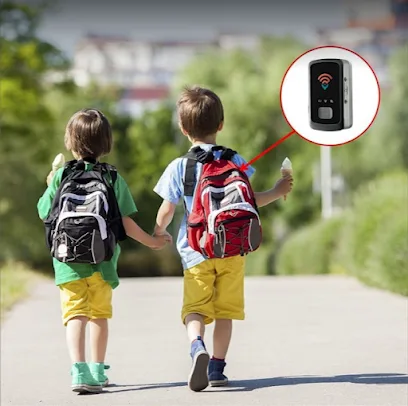
A bug detector can reveal only the kind of clue its sensing method is designed to notice. A radio-frequency (RF) detector responds to radio activity; an optical lens finder can make some camera lenses easier to see by highlighting reflections. Neither is a universal hidden-device detector.
Match the detector to the signal or object
An RF detector senses radio-frequency energy in its surroundings. If a device is transmitting over a frequency the detector can register, the instrument may indicate activity.
An optical lens finder works differently. It directs or uses light so that a lens may show a noticeable reflection from a particular viewing angle. This can help a person visually inspect an area for certain camera lenses. It does not listen for radio transmissions, detect microphones, or establish whether a camera is recording. Glass and polished surfaces can create competing reflections, so inspect the object and its placement from another angle rather than treating every glint as a lens. A bug detector is a temporary inspection aid, not an installed security system. CCTV cameras observe selected views, alarms respond to configured events, and access-control equipment manages entry; these tools address different needs and do not identify every covert recorder. If the concern includes both unauthorized recording and ongoing property protection, treat those as separate questions when choosing equipment.
Understand why a device may not register
A radio scan captures conditions during the scan. A device that is powered down, idle, or not transmitting at that moment may produce no radio activity for an RF detector to register. An intermittent transmitter can likewise be quiet during a brief pass. This means a quiet reading describes the signal activity noticed then; it cannot establish that no device is present. Detection also depends on the instrument’s frequency range and sensitivity: a signal outside its coverage or too weak to register may not trigger it. Check the manual for the bands and operating conditions the detector covers.
Some recording equipment can save information locally instead of sending it over a radio link while it records. In that case, the absence of a radio transmission is not a dependable way to rule out recording equipment. Likewise, a camera’s lens can be visually inspected only if it is exposed to a useful viewing angle and the reflection can be distinguished from surrounding surfaces. The sensing method and the conditions of observation both shape what can be found.
Separate a signal alert from an identification
RF alerts also need context. Wi-Fi routers, mobile phones, Bluetooth devices, and other wireless equipment can transmit signals that a detector may register; the display does not sort them by purpose. Note what is operating and where it is located, then compare readings while changing one nearby source at a time only when it is practical to do so. A change can help narrow the source, but it is not identification. Follow the detector’s instructions for its controls, since display meanings and modes vary by model.
Use a sweep as a bounded check
Define the room or area and the concern first, then read the operating instructions. Before scanning, check the detector’s power, selected mode, and any self-test described in its manual. Choose a repeatable route and scan one section at a time, keeping the detector’s distance and movement as consistent as practical. If the device offers different modes or sensitivity settings, use them as its manual describes. Avoid changing settings midway through a route; otherwise, differences in readings may reflect the changed setup rather than a change in the signal. For an RF check, pause at consistent points and note readings before moving on; for an optical check, inspect likely camera sightlines and change viewing angle around suspicious objects.
Record each indication with its location, the detector mode and sensitivity, and any nearby electronics that were operating. If an object or alert raises a serious concern, document its location without dismantling it.
Coral Gables readers can find Spy World at 96 Miracle Mile.
More from the watch log
Where Should You Put Door, Window, and Motion Sensors?
Plan security sensor placement by mapping likely entry points, matching contact sensors to each opening, and aiming motion detectors along…
Security Guides
Will Your Security System Work During a Power or Internet Outage?
Trace power and communication paths through your alarm, cameras, and network to see which security functions may remain available during an…
Security Guides
Should Your Security Alarm Be Self-Monitored or Professionally Monitored?
Compare self-monitored and professionally monitored security alarms by alert routing, who must respond, backup communications, and the rout…