
IP CCTV Repair & Installation in Elizabeth/Newark, NJ: How to Scope the Right System
By Blue Storm Security · 2026.07.08 · 4 min read
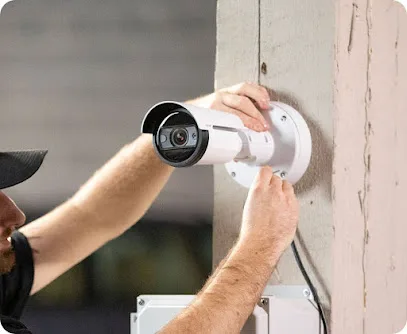
If you’re comparing IP CCTV installation and camera repair options in the Newark / Elizabeth, NJ area, a “scope first” approach helps you avoid mismatches between what you buy and how you actually respond to events. Top IP Security Camera Repair & Install is associated with an office reference at 249 Morris Ave #8d, Elizabeth, NJ 07208, and phone contact at +1 908-215-4355—so your first call can quickly move from interest to practical details about the system you need.
Describe your incident workflow before you pick cameras
Equipment lists don’t solve the real problem if the footage isn’t useful for the way incidents unfold at your property. Start by explaining what should happen when an entry door opens, a vehicle approaches, or another key event occurs. For example: do you want instant recording, a push notification, zone-based triggers, or footage that supports later review and evidence?
For IP systems, “coverage” isn’t enough. You should clarify what the cameras must capture for identification—such as faces and key activity—and how they should be positioned to support that goal, not just to see a broad area.
Confirm the full IP CCTV architecture (NVR, storage, playback)
Your scope should include more than cameras. In an IP CCTV setup, footage typically depends on an NVR (network video recorder) plus network connectivity. When you request a quote, ask the installer to describe the proposed architecture in plain terms so you understand how footage will be recorded, stored, and reviewed.
- NVR storage expectations: how long footage is retained and whether retention is rolling or event-focused.
- Playback access: whether review is available through an app, web portal, or another method.
- Camera placement logic: lens choice and mounting approach aligned to doorways, walkways, and driveway or approach areas—especially for night identification and glare considerations.
This is where many scope gaps appear: the installer may propose equipment, but you need clarity on how the system fits your review habits and how much video you’ll realistically be able to manage.
Make camera repair scopes testable
If your project includes camera repair, replace vague language like “fix what’s broken” with a measurable set of tests. Ask the installer to explain what they will verify before declaring the repair complete.
For example, you can request confirmation around connectivity and power delivery, image clarity, any failed channels, and storage health. Also ask whether the issue is more likely tied to configuration/firmware versus hardware—so you’re not surprised if additional adjustments are required after the visit.
Clarify what “monitoring” means in your quote
Some providers install systems only; others also support monitoring and alert workflows. Even if you’re primarily focused on installation, you should ask what monitoring is (or isn’t) part of the proposal.
- Who is responsible for monitoring (in-house versus a third-party provider)?
- How alerts reach you—through an app only, or with an alarm/central-station style workflow?
- What happens if you don’t answer right away, and whether escalation follows a structured process?
Setting expectations up front helps prevent the common “we thought it was monitored” gap that can become a problem after an incident.
Treat access control as part of one security picture
If your property includes access control needs—such as gates, doors, or controlled entry—don’t treat it as separate from CCTV. Your camera zones should align with where entry events occur so the footage corresponds to the moment access is attempted.
Ask how the installer will coordinate camera placement with doorways or card-access areas, and whether they can support the full workflow (camera capture aligned to access events) rather than only the camera-side installation.
Get a site-specific plan for mounting, wiring, and constraints
Installation realities depend on wiring paths, existing network equipment, mounting surfaces, and site visibility. When comparing contractors, request a site-specific approach that covers where cables will run, how weatherproofing will be handled, and what you may need to provide (such as power availability, network access, or permission for mounting).
Use these questions to keep your quote from drifting
Before scheduling, keep the conversation structured so you can compare Top IP and other CCTV installers on the same criteria. When you call +1 908-215-4355, ask for clear answers to these points:
- Which exact cameras and NVR/storage approach will you install for my entry points?
- What does “installation” include (configuration, testing, app setup, and any basic training)?
- If monitoring is part of the scope, what monitoring method and escalation workflow will be used?
- For repairs, what specific tests will you perform and how will you confirm the system is stable afterward?
By scoping around identification quality, storage expectations, measurable repair tests, and the response workflow, you’ll be better positioned to choose an IP CCTV plan that helps when you actually need footage—rather than paying for a system that doesn’t support your real incident process.
More from the watch log
How Renters Can Improve Home Security Without Permanent Installation
A renter-friendly security plan starts with reversible changes, visible entry points, and portable devices chosen for a clear purpose and e…
Security Guides
How to Evaluate a Commercial Security System Proposal
Compare a commercial security proposal by its stated outcomes, coverage, equipment flexibility, and provider responsibilities—not by device…
Security Guides
Professional Monitoring or Self-Monitoring: What Homeowners Should Compare
Compare who receives a home security alarm, how alerts travel during disruptions, and the ongoing costs and responsibilities of monitored a…