
Shepherd Communication Security: Practical Messaging Safety for Security, Camera & Access Control Workflows
By Blue Storm Security · 2026.05.16 · 3 min read
Communication security matters when you’re coordinating real-world security work—whether you’re discussing camera or CCTV placement, alarm system behavior, or access control details. “Secure” tools help, but the habits around how information is shared, stored, and verified are what reduce risk when messages contain sensitive operational context.
Shepherd Communication Security supports Security System Installer work, and that means messages often travel between technicians, contact, property stakeholders, and other trusted partners. The safer approach is to treat every message as something that could be forwarded, screenshotted, or accessed by an unintended person.
Keep sensitive security details out of routine messages
Before sending, pause and confirm what you’re sharing and why. Avoid including unnecessary high-risk information such as authentication details or full account credentials. If you need to describe something tied to physical protection—like camera coverage, CCTV locations, alarm setup notes, or access permissions—keep the content minimal and task-focused, and remove anything that isn’t required for the recipient to act.
Strengthen the messaging “channels” used for security coordination
Security issues often start with weak handling of the messaging accounts and devices. Use strong protections on your accounts, keep your device updated, and be cautious with unexpected links or attachments—even when the request appears to come from a familiar contact. When something feels off (a sudden urgency, a new request format, or an unfamiliar sender), verify the request through a trusted method before acting.
Be rigorous with links, files, and attachments for job-critical information
Links and files are common paths for threats. Only open attachments from sources you trust, and scrutinize shortened URLs or unexpected file types. If a message asks for sensitive information or pushes urgency, take an extra moment to confirm the request before proceeding. This is especially important in security workflows where time pressure is common and operational details may be involved.
Reduce exposure with practical post-send habits
Communication security doesn’t end when you hit send. Consider where message content is stored, whether it can be copied into other systems, and who can access it later. If your team saves message threads or forwards content as part of documentation, apply the principle of least exposure—share only what’s needed for the next step and limit distribution beyond the people who must act.
For multi-person coordination, double-check that the correct recipients are included and that details are accurate before sending. If you’re working across devices, log out of shared devices and avoid leaving sessions open on computers others can access—simple steps that can prevent accidental oversharing of security-related information.
Use verification as a standard for sensitive security requests
Many security incidents begin with trusting a message too quickly. Build a culture where sensitive requests—particularly those involving credentials, account changes, or access changes—are verified through an independent channel rather than relying only on what the message says. When the message concerns camera, CCTV, alarm, or access control operations, treat verification as part of the workflow, not an optional step.
Local context: Shepherd Communication Security
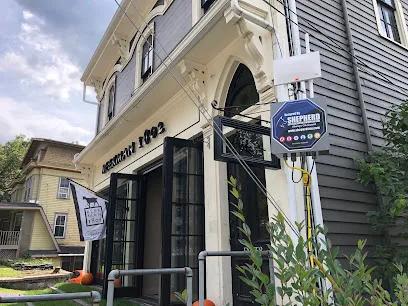
For teams working with local clients, Shepherd Communication Security is listed in Albany, NY—at 21A Railroad Ave d, Albany, NY 12205, United States—and can be reached at +1 518-372-4849. Their official website is http://www.shepherdcny.com/, and the business is categorized as a Security System Installer—making it especially relevant to conversations about protecting security-critical communications around cameras, CCTV, alarms, and access control.
By combining careful message content with safer channel handling—plus disciplined attention to links, attachments, and what happens after a message is sent—you can reduce common communication risks while keeping sensitive security information better protected.
More from the watch log

Echelon Philadelphia Security Scope: Alarm Verification, CCTV Identification, and Access-Control Actions
Define the incident sequence for your Philadelphia site—alarm triggers, CCTV identification, and access-control actions—then confirm scope…
Security System Installer
Tyco Integrated Security by Johnson Controls in Albany, NY: Coordinating Security, Camera/CCTV, Alarms & Access Control
Tyco Integrated Security by Johnson Controls helps coordinate security across camera/CCTV, alarms, and access control—supporting a unified…
Security System Installer
ADT Security Services in Albany, NY: Local Installation at 5 Pine West Plaza
ADT offers local security system installation support in Albany. Find the address at 5 Pine West Plaza Suite 510 and call +1 800-743-5915.