
Pye-Barker Fire & Safety (formerly Mountain View Security Systems) in Montpelier, VT: Define Your Alarm, CCTV, and Access Control Scope Before You Call
By Blue Storm Security · 2026.06.24 · 4 min read
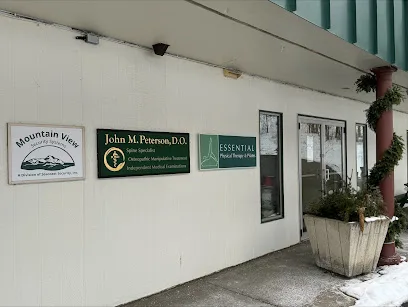
If you’re considering Pye-Barker Fire & Safety (formerly Mountain View Security Systems) in Montpelier, Vermont, the fastest way to get a useful proposal is to arrive with a clear scope. Security systems projects stall when the conversation starts with equipment names instead of outcomes—what should happen when an alarm trips, what a camera must prove during an incident, and how access control should behave day to day.
Start with the location’s public contact signals: the Montpelier branch lists 81 River St, Montpelier, VT 05602 and phone +1 800-654-8800, and it points to its official page for the branch at https://pyebarkerfs.com/locations/montpelier-vt/. Those basics help you confirm you’re talking to the right office, but the real value comes from preparing the questions that shape what you’ll receive in writing.
Map the “moment after” an alarm triggers
Ask how the alarm system is intended to work in real time. For example: when a burglar intrusion zone trips, who (or what) is supposed to verify the event and when? If you’re building a response workflow, you’ll want the installer to explain how alarm inputs, alarm outputs, and notifications are configured—especially if you also plan to use cameras and access control.
Be specific about the scenarios that matter on your property. A common problem is assuming “coverage” means “everything everywhere.” Instead, describe the actual incident you care about (after-hours door entry, side-lot access, deliveries at a loading door, or unauthorized after-hours movement). Then confirm which devices participate in that scenario.
Confirm what zones and sensors are included in the quote
Before you sign, request a written breakdown of the alarm zones and sensor types. If you have hard-to-reach entry points or areas with frequent nuisance triggers (wind-driven openings, vibration-prone rooms, or high-traffic hallways), make those details part of the scope discussion. You’re aiming to reduce false alarms while still catching the events you want detected.
Make CCTV prove identification, not just “show more views”
Cameras can be installed quickly and still fail your goal if they can’t capture the evidence you need. For CCTV, ask the installer to describe how camera placement supports identification and incident verification—how a person’s approach to an entrance becomes understandable, not just visible.
Use a simple requirement statement: “During an entry attempt, we need footage that allows identification of the person and context of the event.” From there, confirm what the camera plan includes (angles, mounting constraints, lighting considerations, and whether the system is designed to support the kind of viewing you’ll do—live monitoring versus later review).
Ask how video gets used with alarms
Integration is where most projects succeed or fail. If your alarm system triggers, should the camera feed automatically connect to the incident? If you’re planning monitored security features, clarify the expected workflow so alarm and video events align. This is also the place to ask about retention and how footage is accessed after an alarm—because “we installed cameras” isn’t the same as “we can confirm and review incidents when needed.”
Define access control so authorized use stays practical
Access control is often implemented without enough attention to daily friction: who needs entry, what credentials are used, and what should happen during edge cases. If you’re combining doors, gates, or interior controlled areas with alarms and CCTV, define your rules before installation begins.
For each controlled door or area, request clear answers on what triggers access (credential type, schedules, manual unlocks) and what events generate logs. If the system is expected to support both “normal operation” and “incident mode,” ask how those behaviors differ when an alarm is active.
Plan for edge cases like deliveries and temporary access
Ask how the system handles time-bound permissions (contractors, event staff, cleaning crews) and how you’ll disable access when needed. Even if you don’t need it today, it’s easier to build the admin approach during installation than to retrofit procedures later.
Use the Montpelier office details to confirm current branch scope
Public websites can change, so treat location contact as a checkpoint. Call +1 800-654-8800 or use the branch page at https://pyebarkerfs.com/locations/montpelier-vt/ to confirm which parts of the project the Montpelier team will handle and what documentation they need for your specific site. The website also references 24-hour emergency service language for the branch—so if you have a time-sensitive risk, ask what that means for your security installation and service expectations.
Finally, request that your proposal ties each component back to the outcomes you described: alarm zones matched to your response workflow, CCTV planned for verification, and access control configured for day-to-day usability. When those three threads connect, you’ll be comparing systems on performance—not just features.
More from the watch log

ProTec Security Systems in Greenville: Plan Around the EMC Transition
ProTec Security Systems’ Greenville listing now points to EMC Security. Here is how to clarify system support, camera needs, and the right…
Security Guides
Priority One Security in Greenville: Make Smart-Home Security Work as One System
Priority One Security’s Greenville listing and service menu point to a practical planning question: how should cameras, alarms, access cont…
Security Guides
On Point Security & Video in Greenville: Scope Cameras, Alarms, and Entry Control
On Point Security & Video lists surveillance, intrusion systems, access control, and data infrastructure. Here is how Greenville property t…