
Professional Monitoring or App Alerts: Which Fits Your Home?
By Blue Storm Security · 2026.11.24 · 4 min read

Choose professional monitoring when you want covered alarm signals routed to a monitoring center that follows an agreed response procedure. Choose self-monitoring when a person you designate can reliably receive alerts and decide what to do. The distinction is not simply whether an alarm has an app: it is who owns the next step after a signal leaves the home. To choose well, compare the response chain, your household’s availability, the events included, and the work you are willing to manage.
Know who receives the alarm signal
Both arrangements begin with a security system detecting an event and sending information through its communication path. The receiving party changes what happens next:
| Arrangement | Who receives the signal | Who manages the next step |
|---|---|---|
| Professional monitoring | A monitoring center receives covered signals | Center personnel follow the service’s agreed procedure |
| Self-monitoring | You or other designated users receive alerts | The recipient decides how to respond |
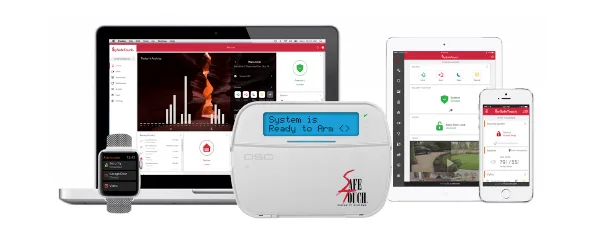
An app can provide remote access or notifications without making the arrangement professionally monitored. Those features may let you check system activity or change its status, while a monitoring center is a separate part of the response chain. The practical question is whether someone is responsible for handling each alert, not whether the system can send information to a phone.
Match the model to people’s availability
Self-monitoring works best when the people receiving alerts can pay attention at the times the system is armed. Think through ordinary situations rather than assuming someone will always be free: the home may be empty during work hours, residents may be asleep overnight, or the designated person may be driving, traveling, or in a meeting. If several people share responsibility, decide who is primary and who can step in when that person is unavailable.
Phone-based alerts also depend on the receiving device and its settings. A depleted battery, weak data connection, disabled notification permission, or a phone left on silent can interrupt the handoff from system to person. Consider how you would learn about an event if your usual phone were unavailable, and whether another household member can receive the same alert. This is a question of operational reliability: self-monitoring assigns attention and follow-through to people in your group.
A monitoring center changes that assignment by receiving covered signals as part of a service, rather than relying only on a resident noticing a phone notification. It does not mean every signal has an identical outcome; the particular procedure depends on the service and event. Households with predictable coverage and a willing, reachable alert recipient may prefer personal control. Those whose schedules leave long periods without a dependable recipient may value a staffed receiving point.
Set the event and response boundaries
Before comparing plans, list the events your system is meant to report. An intrusion alarm, a smoke or other environmental sensor, and a system-status notification are different types of information; not every system or monitoring arrangement handles every category. Write down which installed sensors matter to you and check whether their signals reach the recipient you intend to rely on.
Then map the response for each important event. A useful description identifies who is contacted first, what happens if that person does not answer, and what circumstances lead to any further escalation. The sequence can differ by event and service. For self-monitoring, decide who will make the judgment and what information they need to do it. For professional monitoring, understand the procedure the center follows for the signals covered by the agreement. These details define the actual service more clearly than the label “monitored.”
Keep the event list focused on your property and routine. For example, a household that mainly wants an intrusion alarm handled while everyone is away has a different decision to make from one relying on several sensor types and multiple contacts. Clear boundaries help prevent a mismatch between what residents assume an alarm system will report and what the receiving arrangement is set up to handle.
Weigh recurring cost against daily responsibility
Compare the full ongoing commitment, not only the price of equipment. A monitoring charge is a recurring expense; self-monitoring avoids that particular service charge only if one is otherwise applicable, but it requires people to receive, interpret, and act on alerts. It also takes time to keep the contact list current, maintain the notification setup, and coordinate responsibilities when household members’ schedules change. Think of the trade as paid response handling versus personal attention and control, rather than “free” versus “paid.”
Consider who will maintain the plan over time. A person who changes phone numbers, a family member who moves out, or a new work schedule can alter who is reachable. Pick a review routine that fits your household so the named recipients and their roles remain accurate. If no one is willing to own those small tasks, self-monitoring may look simpler on paper than it feels in practice.
Nashville readers can find local contact information for NCA Alarms. For your own decision, select the arrangement whose recipient, event coverage, and response procedure match the times and responsibilities your household can realistically support.
More from the watch log
Fewer Home Alarm False Alarms Start With Finding the Trigger
Use alarm event history, sensor conditions, and household routines to identify repeatable causes of avoidable home security alarm activatio…
Security Guides
What an Access-Control Log Can—and Can’t—Tell You
Learn how to read access-control events, build a door-incident timeline, and understand what credential records can—and cannot—establish.
Security Guides
Plan Security-Camera Coverage for Fewer Blind Spots
Map important approaches, balance a wide camera view with usable detail, account for changing light, and test recorded footage before relyi…