
Plan a Wired Security-Camera System Before You Buy
By Blue Storm Security · 2026.10.22 · 5 min read
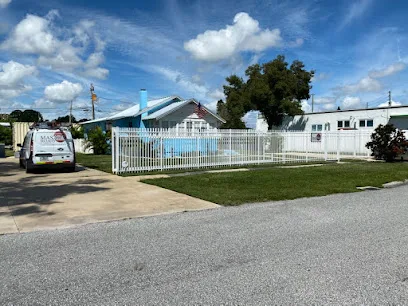
A wired security-camera system is easier to plan when you decide what each camera must show before choosing equipment. The view, recorder, and cable route are connected decisions: a camera that fits the budget may not capture useful detail from its proposed location, and a technically compatible camera still needs a workable path back to the recording equipment. Sketching these pieces together can help homeowners avoid buying components that do not fit the property or the intended use.
Choose the view each camera must provide
Start with an event or area you want to observe, such as someone approaching a front entry or vehicles using a shared driveway. This is more useful than deciding on a camera count first. A count says how many devices you might install; it does not show whether their views cover the places that matter or leave important gaps.
For each proposed view, consider distance, angle, lighting, and obstructions as a group. A wide view can show that activity occurred without capturing enough detail to distinguish a person or object at a distance. A camera pointed toward a bright exterior opening may produce a different image from one aimed into a consistently lit area. Walls, roof edges, landscaping, parked vehicles, and seasonal growth can block the view. Mark likely camera positions and the area each should show on a simple property sketch, then note obstacles and lighting conditions beside each view.
This sketch is a planning aid, not a guarantee of image quality. It helps expose trade-offs early: a position that covers a broad area may provide less detail at a particular entry, while a more focused angle may leave another approach outside the frame. Make the goal for each camera specific enough to evaluate later.
Match cameras to the recording system
Camera and recorder compatibility is more than matching a plug. Power over Ethernet (PoE) carries power and data over an Ethernet cable, which can simplify the connection between a compatible camera and network video recorder (NVR). The camera, cable path, and NVR still need supported connections and features. Do not assume that every NVR works with every camera simply because both use network cabling.
Check the planned camera count against the recorder’s available channels and connection capacity. If you may add cameras later, account for that possibility now rather than assuming an unused channel, port, or recorder capability will be available. Also compare the camera features you intend to use with the recorder’s supported functions; a system can connect while failing to provide a feature you expected.
Storage is another system-level choice. The amount of footage retained depends on factors such as the number of cameras, recording schedule, image settings, and retention goal. Continuous recording and event-based recording create different storage demands, and settings affect how much video fits. Work from the retention period you actually want and the planned recording behavior, then check the recorder’s storage capacity against those assumptions before purchasing.
Map the cable route before choosing locations
Trace a possible route from each camera to the recorder or network equipment. Note whether a route would pass through an attic or crawl space, cross walls, run outside, or require protection in an exposed area. The intended camera position may be excellent visually but difficult to connect cleanly, so include wiring feasibility in the placement decision rather than treating it as a final detail.
Compare the desired view with the route. Moving a camera a short distance might preserve a useful angle while making the cable run more practical. Conversely, the easiest route may point the camera away from the approach it is supposed to show. A sketch that includes both viewpoints and cable paths makes those compromises visible before you buy cable lengths or commit to a location.
Mark uncertain conditions, such as limited access or a wall or roof crossing whose construction is not clear. Those details can affect installation planning and should be understood before finalizing materials. For local business details, see the Masada Security listing.
Set acceptance checks for the finished system
Decide in advance what a successful view looks like for each camera. For example, the goal might be a clear view of an entry approach in daylight and usable footage under the lighting conditions the property normally has at night. The point is to test the intended result rather than judging the system only by whether a live image appears on a screen.
Plan to check live views, recorded playback, timestamps, and the recording schedule. A visible camera feed does not by itself show that video is being stored for the times you care about. Review playback from the relevant period and compare what appears with the original purpose for that camera. Check that the timestamp is plausible and that the schedule behaves as intended.
Consider a hypothetical entry camera: first confirm the angle includes the approach, then review recorded footage from a time when that approach should be visible. If the recording misses the useful area or does not cover the relevant period, the result points to a specific adjustment in view or recording settings. Repeat this purpose-based check for each camera. Defining success before installation turns a collection of devices into a system you can assess against the views, storage, and recording behavior you actually planned.
More from the watch log
Tampa Renters: What to Weigh in Guardian Protection’s Month-to-Month Plan
Guardian Protection’s Tampa page describes a renter month-to-month plan. Compare its equipment, discount, monitoring, app, and installation…
Security Guides
SafeTouch Orlando: Choose Between Video-Only and Connected Home Security
SafeTouch’s Orlando-area offerings describe both standalone video and alarm-linked home security. Compare what each option does before requ…
Security Guides
Vector Security in Fort Lauderdale: Scope Cameras, Access Control, and Alarm Monitoring
Use Vector Security’s Fort Lauderdale-area service details to prepare a focused security-system conversation about video, entry control, mo…