
Local, Cloud, or Both? Choosing Storage for Home Security Cameras
By Blue Storm Security · 2026.11.12 · 4 min read
For home security cameras, choose local storage when you want footage recorded at the property, cloud storage when off-site copies and account access matter most, or both when you want two distinct copies. The right choice depends less on the label than on what happens during an outage, how long recordings remain available, and whether someone can retrieve a useful clip when needed.
Know where the footage is actually stored
A local recorder or storage device keeps video at the property. Cameras may record continuously or save event-triggered clips; those are different recording schedules, not different storage locations. A camera that detects motion and writes clips to an on-site recorder is still using local storage, even if an app lets you view those clips remotely while the network is working.
Cloud storage sends recordings off-site to an online service, where an account holder can access footage through the service’s app or interface. A hybrid setup keeps footage locally and uploads a separate copy or selected events. That distinction matters: a live camera view is not the same as a saved recording, and remote access does not by itself tell you where recordings are retained.
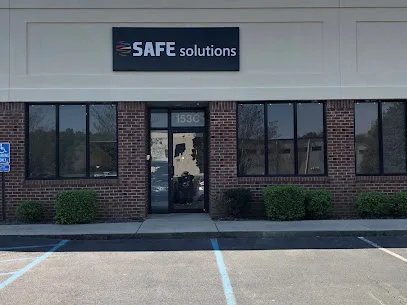
In Greenville, SAFE Solutions describes its work as industrial and commercial security-systems integration.
Match storage to the failure you want to withstand
Think through the failure that would make a recording most valuable. If internet service drops, a local camera-and-recorder setup can continue recording when the equipment has power and the system is configured to do so; remote viewing may be unavailable until connectivity returns. Cloud footage depends on a successful upload, so an interruption can leave a gap in off-site recordings. A camera’s specific behavior varies by design: some may buffer temporarily, while others need a network connection to send each event.
Local-only storage avoids dependence on an upload for the on-site recording, but it concentrates the copy in one place. Damage to or loss of the recorder can take that footage with it. Cloud storage places uploaded footage elsewhere, while a hybrid arrangement can preserve both an on-site copy and an off-site copy. Neither option makes power irrelevant: cameras and local recorders need power to capture or store new footage, and networking equipment also needs power for uploads.
Use this comparison to identify which trade-off fits your concern:
| Storage choice | Useful when | Key dependency |
|---|---|---|
| Local | You want an on-site recording and local access | Powered camera and recorder; recorder remains available |
| Cloud | You want uploaded footage stored off-site | Network upload and the service’s retention terms |
| Both | You want distinct on-site and off-site copies | Know which events upload and what each copy retains |
Estimate retention from actual settings
Retention is the period for which older footage remains available, and it is shaped by both storage capacity and recording behavior. More cameras create more video; higher resolution and frame rates generally use more data; continuous recording writes more footage than event-triggered recording. Busy scenes can also generate frequent motion events. These factors interact, so a generic number of days is a poor estimate for a particular home.
For a local system, check the recorder’s capacity, current recording schedule, and whether it overwrites the oldest footage when space fills. For cloud storage, review the service’s stated retention period and any limits tied to cameras or clip types. Then use the system’s own storage estimate or observed history with the intended settings. If a change from motion-triggered to continuous recording reduces the look-back period, that consequence should be visible in the system’s estimate or recording history before you rely on the new schedule.
Test whether you can retrieve a useful clip
Before relying on a setup, perform a retrieval test using an ordinary event such as someone entering through the front door. Have an authorized household member locate the recording by date and time, verify that the clip shows the relevant moment, and export it or share it using the method the household expects to use. A clip that appears in a timeline but cannot be opened or transferred in a usable format may not meet the practical need.
During the test, check that the recorded timestamp matches the event, note how many steps it takes to find the clip, and see what happens when a second authorized person uses the account. Review who can view recordings and how access is granted or removed as household members change. The useful choice is the arrangement that delivers the needed recording, for the needed period, through a retrieval process the people responsible can actually complete.
More from the watch log

Master Keys or Electronic Access? Choose by How Often Permissions Change
Compare master-key systems with electronic access control by staff turnover, door permissions, credential types, and the practical conseque…
Security Guides
Why Does a Home Security Alarm Keep Going Off?
Repeated alarm events are easier to solve when you identify the triggering sensor, connect its timing to a routine or physical change, and…
Security Guides
Where Should You Place Home Security Cameras?
Plan home security camera locations around the entrances and approaches that matter, then test framing, lighting, connectivity, and recorde…