
Keystone Security Systems (Rochester): How to Decide if Smart-Home + CCTV Installation Fits Your Project
By Blue Storm Security · 2026.05.13 · 4 min read
Choosing a security systems installer gets easier when the decision is tied to measurable outcomes: camera coverage that matches your property, smart-home automation that actually connects, and monitoring that delivers alerts the way your household expects. Keystone Security Systems, a Rochester-based provider, publicly describes work across residential alarm systems, video surveillance (CCTV), access control, and smart-home security. The company also describes serving the Rochester area as well as Buffalo, Syracuse, and the Southern Tier.
Use the questions below to confirm whether Keystone is the right match for your project scope—especially if you want smart-home integration alongside cameras and alarm or access-control components.
 For CCTV and smart-home security projects, local support and clear handoff matter during installation and setup.
Start with the system outcome you’re buying, not the buzzwords
Keystone’s public services list combines home alarms, security cameras, smart-home systems, and integrated security monitoring. That mix can fit many households, but it also means a quote can drift unless the deliverables are written down. Ask for a scope breakdown that separates (1) camera/CCTV placement and hardware, (2) any alarm and/or access-control components, and (3) monitoring configuration—whether you want monitored alerts or installation-only setup.
Coverage should be mapped to entry points and visibility lines
For CCTV, confirm the coverage plan using your property’s reality: how vehicles approach, which areas are blocked by fences, and where lighting changes at night. A strong installer will explain where each camera will be mounted, how power or wiring constraints will be handled, and what the camera is meant to capture (not just “install more cameras”).
Smart-home integration: require a compatibility plan before mounting hardware
If you’re pursuing smart-home security, treat integration like a compatibility test. Keystone publicly references smart-home security, but your goal is to define the automation outcomes. Ask how door or motion events connect to notifications and whether camera clips line up with the same triggers you’ll use in daily routines.
Confirm what will be documented at the end of installation
Smart-home projects can fail quietly if configuration and access rules aren’t clearly handed off. Before work wraps, request a walkthrough that covers the final app setup, user permissions for family members, and how monitoring events appear in the interface you’ll actually use.
Monitoring expectations: define the alert events and notification path
Keystone describes integrated security monitoring for home and wireless security systems. That’s a helpful starting point, but you still need a plain-language definition of what’s monitored in your install. Ask which events will trigger alerts (alarm triggers, access-control events, and any video-detection events you enable), how notifications reach you, and what information the monitoring workflow provides when someone responds.
Ask what “reliable monitoring” means in your scenario
Monitoring is only useful if it matches how you want to respond. For example, request clarity on when an alert is triggered, what gets sent, and what you can do from the app while an event is active.
Use Rochester-specific contact details to validate the provider
Concrete details help you avoid mismatches between the company you contacted and the team doing the work. Keystone lists a Rochester address at 2117 Buffalo Rd Ste 137, Rochester, NY 14624, and it provides a direct phone number of (585) 730-8324. Use that information to confirm the estimate is tied to the same company and service footprint, especially if your project involves access control and smart-home integration.
Verify licensed process and keep your paperwork
Keystone’s website references licensing information and positions the team as locally owned and operated. Still, the practical proof is the paperwork you receive: equipment list, system configuration summary, and the steps required to manage monitoring and device access later.
Make the decision with a deliverables-first conversation
When comparing quotes for CCTV plus smart-home security and monitoring, the clearest signals are deliverables: a coverage plan anchored to your entry points, a documented integration approach that matches your device ecosystem, and a monitoring definition that spells out which events trigger alerts and how notifications reach you.
If those pieces are clear in the first call, the project can move quickly. If they aren’t, treat that as a prompt to ask for the missing scope details before anything is installed.
More from the watch log

ProTec Security Systems in Greenville: Plan Around the EMC Transition
ProTec Security Systems’ Greenville listing now points to EMC Security. Here is how to clarify system support, camera needs, and the right…
Security Guides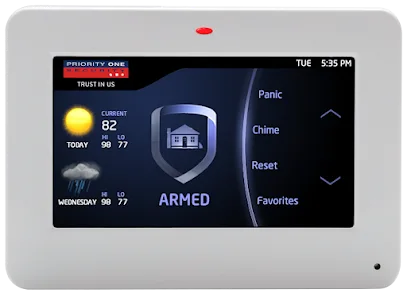
Priority One Security in Greenville: Make Smart-Home Security Work as One System
Priority One Security’s Greenville listing and service menu point to a practical planning question: how should cameras, alarms, access cont…
Security Guides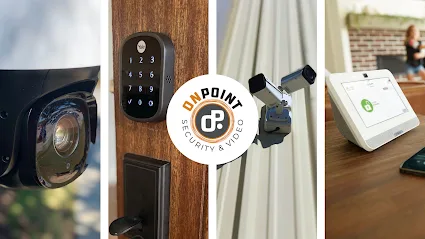
On Point Security & Video in Greenville: Scope Cameras, Alarms, and Entry Control
On Point Security & Video lists surveillance, intrusion systems, access control, and data infrastructure. Here is how Greenville property t…