
Professional Monitoring or Self-Monitoring: What Homeowners Should Compare
By Blue Storm Security · 2026.10.30 · 4 min read
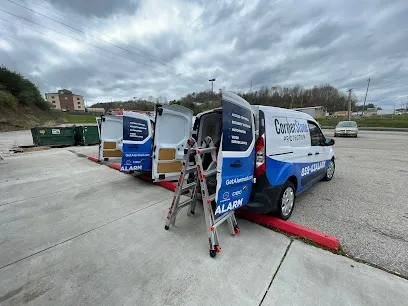
Choosing between professional monitoring and self-monitoring is less about the number of sensors than about who receives an alarm first and who is expected to act. With self-monitoring, alerts go to you or contacts you designate; with professional monitoring, signals are routed to a monitoring service. The better fit depends on the response your household can reliably provide, the system’s communication paths, and the total commitment over time. When comparing local options, the directory entry for CornerStone Protection can serve as one point of reference for your own research.
Know who receives an alarm signal first
A sensor detects or reports an event; the monitoring arrangement determines who is notified and takes the next step. A door contact, for example, may register an opening, but that detection alone does not decide whether anyone checks the alert, contacts another person, or follows a response procedure.
In a self-monitored arrangement, an app or system sends an alert to the homeowner or designated contacts. Those people decide what to do. In a professionally monitored arrangement, alarm signals are routed to a monitoring service, and its procedures govern how the signal is handled. The specific handling process depends on the service and plan, so the word “monitored” by itself does not tell you exactly what happens after an alarm.
This distinction also helps separate an alarm from a camera. A camera can provide video for someone to review, while an alarm sensor may generate an event notification. Neither function alone guarantees that a person is watching continuously or that a particular response follows. Focus on the intended recipient and action for each signal rather than assuming every connected device performs the same job.
Match response responsibilities to daily life
Self-monitoring works only when someone can receive and interpret alerts at the times they matter. Think about work shifts, travel, sleep, phone access, and whether more than one person is willing to share responsibility. A notification that arrives during a meeting or while a phone is unavailable still needs a plan behind it.
Decide who checks an alert, who can reach the property, and how contacts coordinate. If several people receive the same notification, agree whether one person takes ownership or whether a backup contact steps in after a missed response. Clear roles reduce the chance that everyone assumes someone else has handled the event, while also avoiding unnecessary duplicated calls or visits.
Try a hypothetical example: a door sensor sends an alert while the household is away for the evening. With self-monitoring, someone must see the notification, assess what it means, and choose the next step. With professional monitoring, the service handles the signal according to its procedure, while the household still needs to understand which contacts or decisions may involve them. Compare these actual steps—not just the labels—against the hours when your household is least available.
Examine what the system needs to communicate
An alert must travel from the device to its intended recipient. Identify whether the proposed system relies on the home internet connection, cellular service, or another communication path, and distinguish local functions from off-site notifications. A siren sounding at the property and a phone receiving an alert elsewhere are separate outcomes; one should not be taken as proof that the other is working.
Consider a power or network interruption as a specific scenario. Remote access and off-site notifications may depend on connections that are unavailable during an outage, while equipment with backup power or a separate communication path may behave differently. Ask which components in the proposed setup have backup power or communications and which functions those backups support. This makes the conversation concrete without assuming every feature continues through a disruption.
For a camera-based system, make the same distinction between recording and viewing: footage may be stored locally or elsewhere, and remote viewing depends on the relevant system and connection. Decide which outcome matters most to you during an outage—local alarm operation, recording, or receiving an alert away from home—and evaluate each as its own function.
Compare the full commitment, not just the equipment
Put the initial equipment and installation costs beside any recurring monitoring charge. Then compare the contract term, cancellation conditions, and who owns the equipment. Two systems that appear similar at purchase can create different ongoing obligations, so look at the full time period you expect to use them rather than comparing only the first payment.
Self-monitoring has a different kind of cost: time and attention. Someone needs to keep alert access usable, review who is designated to receive notifications, and maintain current contact details. Include that responsibility in the comparison rather than treating a lack of monthly monitoring charge as the only relevant difference.
A useful decision table can have three rows: response responsibilities, communication during disruptions, and total cost and obligations. Write down what each option requires in the same household scenario, then choose the arrangement whose real tasks and commitments your household can sustain. That comparison turns a vague preference for more or less monitoring into a decision grounded in who will act, how the alert reaches them, and what the arrangement asks of you over time.
More from the watch log

Should You Choose Local or Cloud Storage for Home Security Camera Footage?
Compare local, cloud, and hybrid camera storage by access, outages, retention, privacy, and the risks each option leaves with your househol…
Security Guides
How to Plan Home Security Around Pets
Map pet routines separately from entry points, choose detection by location, and test household scenarios to plan an intrusion alarm withou…
Security Guides
How to Choose Smart-Home Automations for a Security System
Sort security functions from convenience, map automations to household routines, and test compatibility, exceptions, and manual fallbacks b…