
Connext Security Solutions Inc. (Camp Hill, PA): Decide If the Alarm, CCTV, and Access Control Scope Fits Your Property
By Blue Storm Security · 2026.07.02 · 4 min read
Choosing a security systems installer is less about picking equipment brands and more about making sure the system behaves the right way during real events. For Connext Security Solutions Inc. in Camp Hill, Pennsylvania, public information shows it installs and monitors security systems for homes and businesses, with an address at 153 S 32nd St and a published contact phone: +1 717-258-1710. It also describes a monitoring/central station workflow—especially around account changes and false-alarm handling—on its site. That matters, because the “after a trigger happens” phase is where poorly scoped projects often fail.
Start with the incident workflow (not the equipment list)
Before you compare features, map what you need to happen after an alarm trigger. For example: who receives the alert first, how quickly does the event show up in the app, and what does the system do next (lights, audio, recording, or access lockdown)? Connext’s monitoring/central station page highlights that customers may need to put accounts on test and handle false alarms. Ask the installer to walk through the exact incident sequence for your property so you can confirm the workflow aligns with your expectations.
Scope CCTV for identification, not just “something recorded”
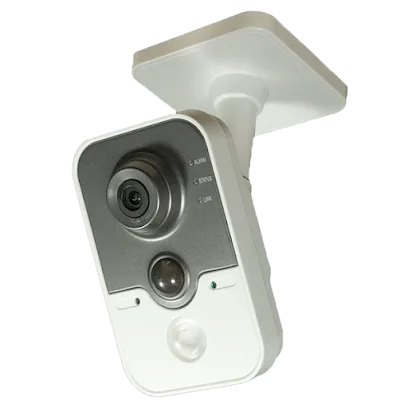
CCTV can mean different things in a quote. Some systems focus on capturing footage; others are designed to identify people at doors, gates, or garages. To avoid disappointment, request a site-specific camera plan tied to your actual entry points: front door, side door, driveway, and any interior paths that matter. Then discuss camera placement, mounting height, and lighting conditions—because glare and shadows can turn “recording” into unusable evidence.
When Connext proposes camera coverage, be specific about the recognition goal: what level of detail must be visible at night, and which camera views should match the same area covered by your alarm zones. A system that logs events without capturing usable identification can still generate alarms but not the outcome you need.
Match zones: alarm areas should correspond to camera views
Ask how they will align alarm zones with camera angles. If your quote includes multiple entry sensors, confirm that the corresponding cameras will show the same locations during an alarm event. This prevents the common mismatch where motion triggers an alarm, but the “best” camera is pointed at a different spot.
Access control should fit daily operations, not just security
For homes with frequent deliveries or for businesses managing staff and visitor access, access control becomes part of daily workflow. Connext’s published residential and commercial positioning indicates it addresses security and access needs, but your final scope should be driven by who needs what: residents, family members, contractors, employees, or authorized visitors.
In the quote review, require a clear explanation of how access will be managed on-site and remotely, including what happens when you need to revoke or update permissions. Connext’s monitoring/central station page references account-related changes; use that as a prompt to confirm what internal and monitoring updates are required when access rules change.
Plan for the “change management” moment
Many security projects overlook what happens after installation: new users, lost codes, updated monitoring information, or temporary access for a tenant. Ask how the installer handles those updates and how you verify that monitoring and notifications reflect the new state.
Use Connext’s published contact path to confirm what’s included
Connext publishes an official contact pathway—phone +1 717-258-1710 and its website at https://www.connextsecurity.com/—and its pages describe monitoring context that can affect how you manage alerts, tests, and false alarms. Use these public details as a starting point, then confirm the parts that affect your project: equipment scope (alarm, CCTV, access control), sensor locations, camera mounting assumptions, and how monitoring and false-alarm processes work for your specific situation.
If you want your system to be more than a set of devices, insist on a scoped “incident story” that ties triggers to cameras and access actions, and then verify the monitoring and account update workflow before signing.
More from the watch log

ProTec Security Systems in Greenville: Plan Around the EMC Transition
ProTec Security Systems’ Greenville listing now points to EMC Security. Here is how to clarify system support, camera needs, and the right…
Security Guides
Priority One Security in Greenville: Make Smart-Home Security Work as One System
Priority One Security’s Greenville listing and service menu point to a practical planning question: how should cameras, alarms, access cont…
Security Guides
On Point Security & Video in Greenville: Scope Cameras, Alarms, and Entry Control
On Point Security & Video lists surveillance, intrusion systems, access control, and data infrastructure. Here is how Greenville property t…