
What Should a Small Business Plan Before Installing a Security System?
By Blue Storm Security · 2026.11.08 · 4 min read
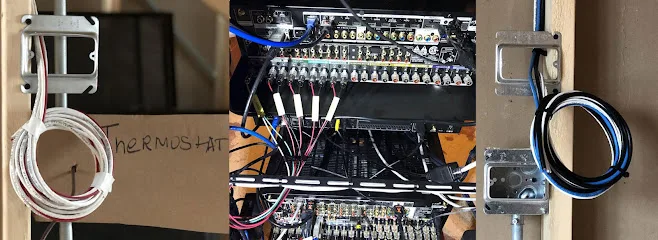
A useful small-business security plan begins with the property’s people, assets, routes, and daily routines—not a shopping list of devices. Identify what needs protection, what events matter, and who is expected to act when the system reports one. That sequence helps you choose alarms, cameras, access control, and monitoring for distinct jobs rather than treating them as interchangeable features.
Map assets, routes, and access needs first
Start by marking the spaces and items whose loss or interruption would matter most: customer areas, stock rooms, offices, equipment spaces, and employee-only zones. Then trace how people move between the street, entrances, work areas, and restricted rooms. A camera pointed at a loading entrance, for example, serves a different purpose from a device intended to manage entry to a records room. The map makes those distinctions visible before equipment placement becomes the focus.
Next, list who uses each entrance and area, and when. Consider opening and closing, deliveries, cleaning, shift changes, and contractors. A business with staff arriving at different times may need a different access arrangement from one where everyone enters together. Mark doors that should be available to many employees and those that should be limited to specific roles or hours. This gives an access-control plan a clear operating purpose instead of simply adding keypads or credentials.
Chicago Security Expert describes its commercial systems as designed around how a business runs, with access control among the systems it installs. That is a useful planning principle: explain your actual workflow and restricted areas when comparing system designs, so the proposed controls address real movement through the building.
Give alarms, cameras, and access control separate jobs
Each component answers a different question. An intrusion alarm signals a defined event, such as a protected door opening when the business is closed. A security camera provides visual information about activity in its field of view. Access control governs who may enter a controlled door and when. These functions can complement one another, but a device count alone does not show whether the plan covers the important risks.
Use a simple planning table to connect needs with system functions:
| Business need | System function | Planning question |
|---|---|---|
| Detect an unexpected entry | Intrusion alarm | Which doors or zones should generate an event, and during what operating periods? |
| Review activity at an approach or work area | Security camera / CCTV | What specific view would help explain an event? |
| Limit entry to selected spaces | Access control | Which people need access, and when should their access apply? |
Fire alarms have a separate life-safety purpose from intrusion detection. Include them as their own planning requirement rather than treating them as another burglar-alarm setting. Chicago Security Expert says its commercial installations include alarm systems, access control, fire alarms, and security cameras; its commercial page also describes these systems as monitored. When reviewing a proposed design, ask how the listed functions correspond to your building’s distinct security and fire-alarm needs.
Connect every alert to a responsible person
Detection matters only if an alert has a destination and a next step. For every event category, identify who receives the notification, who is the backup, and what that person is expected to do. A door-forced alert after closing may require a different response from a camera notification during a delivery. Written assignments help prevent alerts from landing with someone who is off shift or no longer responsible for the property.
If professional monitoring is part of the design, decide which event types should go through that service and which should notify designated staff directly. Clarify the handoff: who is contacted, which instructions are attached to each event, and how the business updates those instructions when staff roles change. Chicago Security Expert’s website describes a central monitoring station for its systems; prospective customers should discuss the monitoring arrangement and event-response workflow for the specific system they are considering.
Walk through a real opening or closing routine
Test the proposed plan against a normal business day. Walk the route a manager takes to open, the path a delivery worker uses, and the steps involved in locking up. Note where an authorized person might trigger an alarm, where a controlled door could interrupt normal work, or which camera view would be obstructed by routine activity. These are practical design questions, not reasons to add more equipment automatically.
Before installation is considered complete, include system testing and user instruction in the handoff. Staff should understand their assigned access, how to operate the functions relevant to their roles, and whom to contact when something behaves unexpectedly. Chicago Security Expert says it handles projects from an initial walkthrough through final testing and provides post-installation support for service, upgrades, and questions. Businesses comparing proposals can use those milestones to define what a clear installation handoff should cover.
For a local point of contact, Chicago Security Expert is based at 508 N Racine Ave in Chicago. The plan you bring to any installer should make the property’s access patterns and alert responsibilities just as clear as the equipment you are considering.
More from the watch log

What Happens When a Monitored Home Alarm Goes Off?
Learn how an alarm signal reaches a monitoring center, what may happen next, and how to prepare your household to respond safely.
Security Guides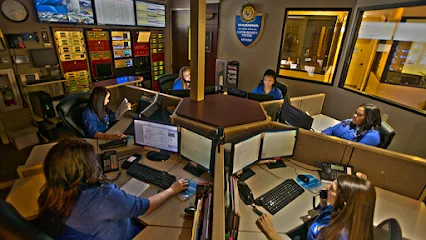
Keep the Alarm or Replace It? A Compatibility Check for Home Monitoring
An existing alarm may be connectable to monitoring, but the control panel, sensors, and communication path must all work together. Here is…
Security Guides
Which Smart-Home Devices Should Connect to Your Security System?
Prioritize connected entry controls, purposeful lighting, and alerts with a clear response plan when integrating smart-home devices with se…