
Alert 360 Virginia Beach Setup: Choose Alarm Monitoring + CCTV + Access Control That Fits
By Blue Storm Security · 2026.08.12 · 4 min read
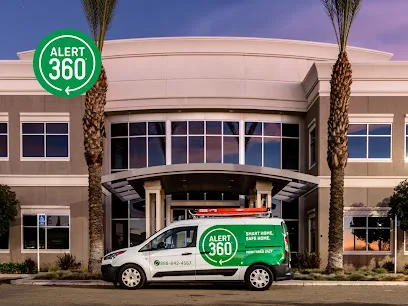
Choosing a security system installer is rarely about the camera brand alone. For a Virginia Beach home or business, the real question is whether the full workflow—sensor triggers, alarm monitoring, and video review—matches how your property is used day to day. Alert 360 Home & Business Security Virginia Beach lists a local service connection at 800 Seahawk Cir STE 134, Virginia Beach, VA 23452, with phone support at +1 757-453-6900. This guide explains what to verify so you can decide whether their approach to alarm monitoring, CCTV, and access control is a fit.
Start with the incident workflow: what should happen after a trigger?
When an alarm sensor triggers, you don’t just need notification—you need a predictable response path. The Virginia Beach location page emphasizes designing security around how the space is used, pairing “sensors, cameras, monitoring, and automation” so tools aren’t disconnected. Before you request a quote, ask the installer to walk through an example incident from end to end: What exactly is considered an “event,” how does the system confirm it, and what happens next in the monitoring workflow?
A useful sign is specificity. They should describe how alarms and video work together for identification—not just “coverage.” If your main concern is front-door activity, ask how the CCTV view supports monitoring decisions, including whether the camera angle is positioned to help identify people or vehicles rather than only recording motion.
Match CCTV purpose to identification needs, not just “more cameras”
False alarms and unclear footage can be especially frustrating in busy areas. For CCTV, the goal is usable evidence: a placement strategy that captures the right angles at the right times. Use this decision filter:
- Entry points first: front door, side doors, garage access, and any gate or service entrance.
- Traffic patterns: where people actually walk and where vehicles realistically pause.
- Lighting changes: porch lighting, shadows, and night readability.
Then verify everyday usability. The Virginia Beach page positions security as something you can check and manage, not something you only “use” after a problem. Ask what the mobile control experience looks like once cameras are installed: can you review footage quickly when something seems off, and can you adjust settings without repeated service calls?
Assess access control expectations for your routines
If you manage a storefront, a rental property, or a multi-tenant home, access control often matters as much as alarms. Alert 360’s broader product positioning includes smart locks and access-related options, but your decision should be grounded in your entry workflow. Before signing, make sure the proposed access control plan answers these real questions:
- Who needs entry, and how often?
- Do you need time-based permissions (for example, during business hours only)?
- Is there a clear rule for visitors, deliveries, and temporary access?
Good installers don’t treat access control as a bolt-on. They connect it to how monitoring and cameras support verification. For example, if a door is accessed during restricted hours, ask whether the camera view and alarm/sensor events are coordinated so you can understand what happened quickly.
Verify local support details before you commit
It’s normal to like the idea of a smart security system—but it still helps to confirm logistics. The Virginia Beach location page provides a local address—800 Seahawk Cir STE 134, Virginia Beach, VA 23452—and the phone line +1 757-453-6900. Use those details to confirm timing and on-site support for your property.
When you talk to the team, request answers in writing that cover:
- What equipment is included (sensors, cameras/CCTV, and the control components)
- How monitoring is handled for alarm events
- Whether installation includes smart automation, and how it will be tested after setup
- What support you get after install if troubleshooting is needed
If you’re comparing options, use their quote request page at https://www.alert360.com/get-a-quote, then follow up with property-specific questions tied to your entry points and layout.
Decide with one standard: usable proof + manageable system
A security plan should be easy to check and simple to manage—especially when you’re trying to understand an alarm alert without guesswork. If the proposal explains the incident workflow clearly, aligns CCTV with identification needs, and treats access control as part of a coordinated routine, you’ll be choosing based on security outcomes, not just device features.
For Virginia Beach properties, compare proposals against the same standard: after a trigger, does the monitoring workflow make sense, can you verify with video/CCTV, and do access rules support your day-to-day entry patterns? Use those answers to choose confidently.
More from the watch log
How Renters Can Improve Home Security Without Permanent Installation
A renter-friendly security plan starts with reversible changes, visible entry points, and portable devices chosen for a clear purpose and e…
Security Guides
How to Evaluate a Commercial Security System Proposal
Compare a commercial security proposal by its stated outcomes, coverage, equipment flexibility, and provider responsibilities—not by device…
Security Guides
Professional Monitoring or Self-Monitoring: What Homeowners Should Compare
Compare who receives a home security alarm, how alerts travel during disruptions, and the ongoing costs and responsibilities of monitored a…