
How Renters Can Improve Home Security Without Permanent Installation
By Blue Storm Security · 2026.11.01 · 4 min read
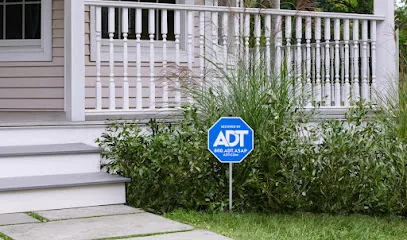
Renters can improve home security without permanent installation by separating reversible habits and portable equipment from changes to the property. Start with doors, windows, and everyday access routines; then consider a device only when its job, placement, and removal plan are clear. This approach can make a home easier to secure without assuming that more equipment automatically means better protection.
Set boundaries before choosing security measures
Before buying anything, sort ideas into two groups. Reversible steps include changing where furniture sits, keeping an entry area uncluttered, or using a device designed to attach without drilling. Property changes include drilling into a frame, running permanent wiring, replacing a lock, or installing hardware on an exterior door. Shared hallways, building entrances, and exterior fixtures add another layer because they affect spaces beyond the unit.
Review the lease and any building instructions before making a change that affects doors, windows, walls, or shared areas. If a proposed measure alters the property or its hardware, ask the owner or manager about approval and restoration expectations before proceeding. That distinction helps prevent a renter from mistaking a removable product for permission to modify a fixture. A simple written note of what is approved can also make move-out planning clearer.
Improve entry security with low-impact measures
Walk the route from the building entrance to the unit as if arriving home after dark. Notice whether the apartment door is visible from a common area, whether a window is screened from view, and whether plants, stored items, or furniture obscure an approach. Visibility is not a guarantee of safety, but it affects how easily someone can see activity around an entry point. Keep the immediate area orderly and avoid creating hiding places beside an accessible door or window.
Build security into ordinary habits rather than relying on a single gadget. Close and secure accessible windows when leaving, check that the door has latched behind you, and keep keys and entry codes out of view from visitors or open windows. Do not leave a spare key in an obvious outdoor spot. If several people share access, agree on a simple routine for returning keys and keeping codes private; an inconsistent handoff can undermine otherwise careful habits.
Pay attention to what the hardware actually does. A door that looks closed may not be latched, and a window left slightly open for ventilation is still an opening to account for. Renters should not improvise changes to locks or emergency exits; when hardware seems loose, damaged, or difficult to secure, report the specific problem through the property’s normal maintenance channel.
Choose portable devices for a specific job
Portable devices differ by function. A notification device is intended to alert someone to an event, while a camera captures images or video. Neither function automatically strengthens a door or replaces a household’s response plan. Decide first what question you want a device to answer: for example, whether a door opened while you were away, or whether a package was left at your own entry.
Placement, power, and connectivity shape whether a device is useful. A battery-powered sensor needs a way to check or replace its battery; a connected camera may depend on a reliable network and an account that the renter can access. Consider who can view alerts or recordings, how long recordings remain available, and whether the device continues to work if a phone is unavailable. Choose an angle that covers the intended area while minimizing views into a neighbor’s home or shared spaces.
For removable equipment, inspect the attachment method and the surface it will touch before installation. A product marketed as temporary can still leave marks or interfere with a frame. Follow its setup instructions and avoid placing devices where they block a door, window, or normal passage. If a camera’s only useful angle would record other residents’ private areas, select a different location or a different type of device.
Plan for daily use and the next move
Test a proposed setup with a short, realistic routine. Imagine leaving in a hurry: which openings need checking, who receives a device alert, and what happens if a phone is on silent? Then consider arriving home with groceries or carrying a sleeping child. Controls that are hard to reach or alerts that are easy to miss may not fit the household’s actual pattern. A small scenario test can reveal those friction points before they become daily irritations.
Keep a basic inventory of renter-owned devices, their power needs, mounting materials, and account access. Before moving, remove attachments according to product instructions, collect accessories, and restore any surface affected by the setup in line with the property’s expectations. For readers comparing local directory entries while researching security-system options, the ADT Security Services detail page is a neutral place reference; the renter’s own lease, layout, and device requirements determine which measures fit a particular home.
More from the watch log

How to Evaluate a Commercial Security System Proposal
Compare a commercial security proposal by its stated outcomes, coverage, equipment flexibility, and provider responsibilities—not by device…
Security Guides
Professional Monitoring or Self-Monitoring: What Homeowners Should Compare
Compare who receives a home security alarm, how alerts travel during disruptions, and the ongoing costs and responsibilities of monitored a…
Security Guides
Should You Choose Local or Cloud Storage for Home Security Camera Footage?
Compare local, cloud, and hybrid camera storage by access, outages, retention, privacy, and the risks each option leaves with your househol…