
ADT Security in Charleston: Choose Between Pro Installation and Self-Setup
By Blue Storm Security · 2026.09.30 · 5 min read
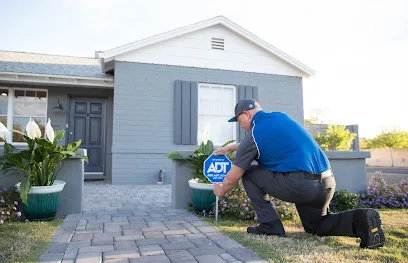
For a Charleston homeowner considering ADT, the first useful decision may be who will set up the system—not how many devices to buy. ADT’s local page presents two installation routes: shop for self-setup online or call for professional installation. That distinction affects what the customer should clarify about equipment, configuration, and ongoing support before choosing a package. A listing identifies ADT Security Services as a security system installer in Charleston, but the listing alone does not define the scope available for a particular property.
Choose the installation route by the work the property requires
Self-setup can make sense when the buyer is comfortable following installation instructions and has a clear idea of where sensors and cameras belong. Professional installation is a separate option on ADT’s local page. Rather than assume what an installer will do, ask whether the proposed visit includes placement planning, mounting, system configuration, app setup, testing, or a walkthrough. Request clarity about any work that is not included, too.
Before discussing equipment, sketch the parts of the property that matter: entry doors, accessible windows, common approaches, and any area where an event needs to be seen or recorded. Note construction constraints, Wi-Fi coverage, power access, and who needs to use the system. This is not a substitute for an installer’s assessment; it gives the discussion a concrete starting point. A project that mainly needs entry alerts may have a different scope from one that also calls for useful video views.
Specify what each camera and sensor should do
ADT’s page lists cameras and sensors among its professional-install products and also shows cameras in its self-setup shopping options. It describes package features including outdoor video, front-door protection, perimeter video, motion detection, and intrusion detection. Treat those as categories to compare, not a promise that every feature or device is included in every configuration. Ask which model and placement are proposed, what event each device is meant to detect or record, and how the customer will review the resulting alerts or footage.
For a camera, describe the intended view and the time when it is useful. A front entrance view, for example, is a different task from observing a side access point. Ask how lighting, the camera’s field of view, network conditions, and recording options affect the proposed setup. For door or window sensors, clarify which openings are covered and how the system signals an open or unexpected entry. A written device list tied to locations makes a quote easier to compare than a total device count alone.
Check app and connectivity dependencies before relying on remote features
The local ADT page says the ADT+ app can bring an ADT system, Nest cameras, and Nest thermostats together. It also notes that notifications, remote control, video streaming, and video recording require working internet, Wi-Fi, a Google Account, and the Google Home app linked to ADT+. Those are specific dependencies worth checking at the property before treating phone access or video as a dependable part of the design.
Ask which app or account is needed for each device, whether the existing router and Wi-Fi reach the planned camera locations, and what functions remain available if internet service is interrupted. The page lists cellular backup and 24-hour battery backup among package features, but availability and terms may depend on the selected configuration. Have the representative identify which backup applies to the proposed system, what it supports, and any plan or compatible-device requirements. Do not assume a feature shown on a package comparison automatically applies to a different selection.
Separate alarm response from the equipment proposal
A camera, an alarm sensor, and a monitoring plan serve different roles. ADT’s page presents monitoring and packages as part of its offer, but the available local information does not establish the exact monitoring arrangement or terms for an individual project. Ask whether the quote includes professional monitoring, what events are covered, how contacts and dispatch preferences are set, and which monthly charges or contract terms apply. Request those answers in writing alongside the equipment and installation scope.
False alarms deserve a practical conversation: ask how users arm and disarm the system, how entry delays are configured if applicable, how alerts are handled, and how to update authorized contacts. Clarify what the customer should do after a power or network interruption and how system status can be checked. These questions connect the proposal to daily use rather than relying on a general description of protection.
Use Charleston contact details to confirm the next step
The local business listing gives the address as 1941 Savage Rd Suite 200A, Charleston, SC 29407, United States, and lists +1 800-900-8082. ADT’s official Charleston page also offers a quote form and displays its own call option. Because contact routes can differ by page or purpose, confirm which number or form handles the local installation inquiry before sharing project details. The official page describes a sequence of contact, product assistance, and a custom quote; it does not establish a guaranteed appointment time.
Bring the property sketch, preferred installation route, camera and sensor priorities, network questions, and any concerns about backup or monitoring to that conversation. Then compare the written proposal for device locations, installation responsibilities, app dependencies, recurring terms, and exclusions. A clear scope—not an assumption based on a package label—helps a Charleston homeowner decide whether ADT’s proposed system fits the property and how it will be used.
More from the watch log
How Renters Can Improve Home Security Without Permanent Installation
A renter-friendly security plan starts with reversible changes, visible entry points, and portable devices chosen for a clear purpose and e…
Security Guides
How to Evaluate a Commercial Security System Proposal
Compare a commercial security proposal by its stated outcomes, coverage, equipment flexibility, and provider responsibilities—not by device…
Security Guides
Professional Monitoring or Self-Monitoring: What Homeowners Should Compare
Compare who receives a home security alarm, how alerts travel during disruptions, and the ongoing costs and responsibilities of monitored a…